
Contractor Website Design: 10 Must-Have Features That Convert
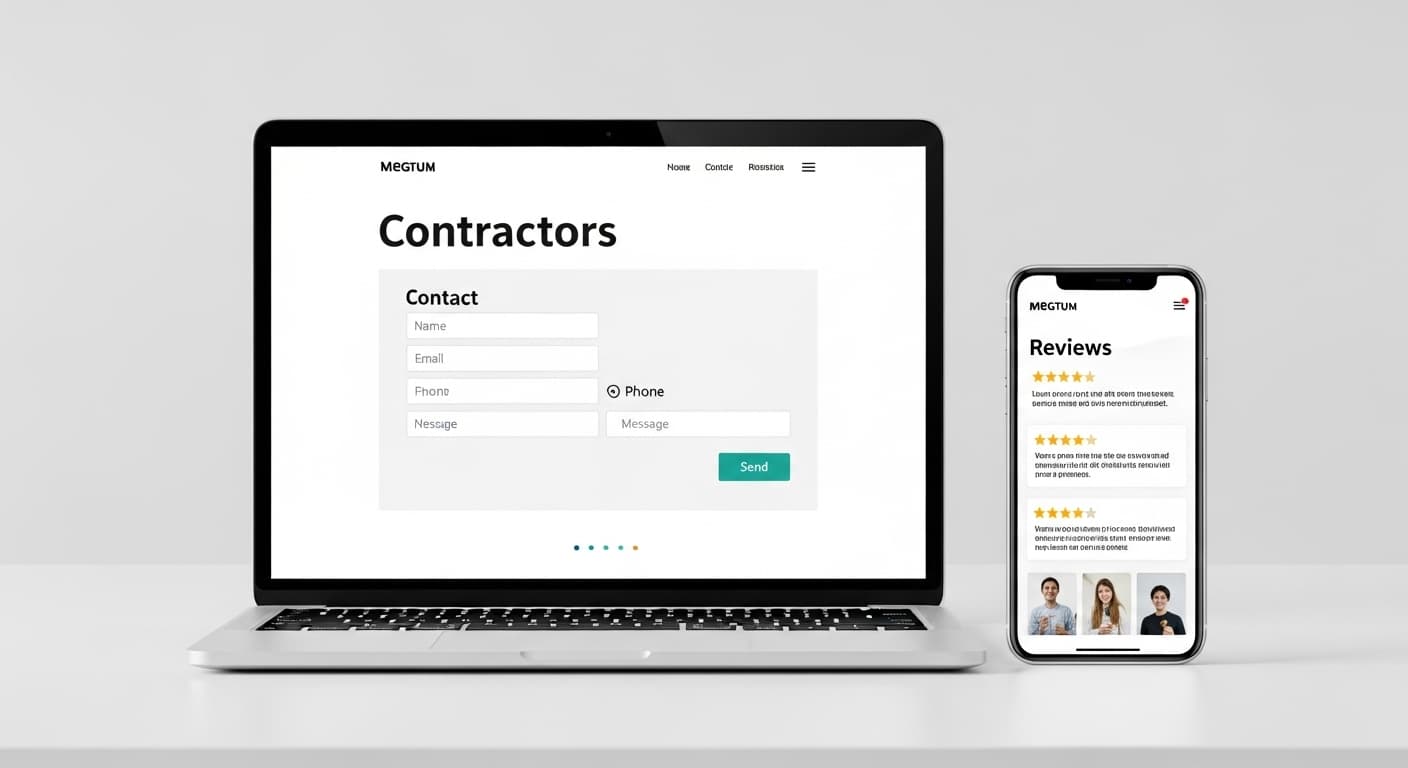
Most contractor websites are terrible. They look like they were built in 2015, they load slowly on mobile, they have no clear call-to-action, and they generate exactly zero leads. The contractor paid $2,000 for a digital brochure that sits there doing nothing.
Your website should not be a cost. It should be your hardest-working employee — a lead generation machine that works 24/7, converting visitors into phone calls and quote requests while you are on the job site.
After building and optimizing hundreds of contractor websites, we know exactly what separates a website that generates 50+ leads per month from one that collects dust. Here are the 10 features that make the difference.
Feature 1: Mobile-First Design
This is not optional. This is survival. 76% of local searches happen on mobile devices, and 57% of users say they won't recommend a business with a poorly designed mobile site.
What Mobile-First Actually Means
Mobile-first does not mean "a desktop website that shrinks down." It means the website is designed for phones first and then expanded for tablets and desktops. The mobile experience should be:
- Fast — Under 3 seconds load time on 4G
- Thumb-friendly — Buttons large enough to tap without zooming, spaced far enough apart to avoid accidental taps
- Scroll-friendly — Key information above the fold, clear visual hierarchy as users scroll
- Click-to-call — One tap on the phone number and they are calling you
- Simple navigation — Clean hamburger menu, not a cluttered nav bar trying to show 20 links
Test your website on your own phone right now. If you have to pinch to zoom, if the text is too small, or if the buttons are hard to tap — you are losing leads every day.
Feature 2: Click-to-Call on Every Page
When a homeowner has a plumbing emergency or needs a roof repair, they want to call someone immediately. 61% of mobile searchers say click-to-call is the most important feature during the purchase phase.
Implementation Best Practices
- Sticky phone number — A phone number that stays visible at the top of the screen as users scroll. On mobile, this should be a floating button.
- Prominent placement — Top of the page, not buried in the footer
- Clear formatting — Use a phone icon and "Call Now" text, not just a string of numbers
- Tracking numbers — Use a call tracking number so you can measure which pages generate the most calls
A contractor website without a prominent, clickable phone number is like a storefront with the door locked. People will go to your competitor instead.
Feature 3: Service-Specific Pages
"We do plumbing" is not enough. Every single service you offer needs its own dedicated page with unique content.
Why Individual Service Pages Matter
- SEO: Each service page can rank for its own keywords. A single "services" page competes for one keyword. Ten individual service pages compete for ten keywords.
- Relevance: When someone searches "water heater installation Seattle" and lands on a page specifically about water heater installation, they are far more likely to convert than if they land on a generic services overview.
- Conversion: Specific pages allow you to include specific testimonials, specific project photos, specific pricing, and specific CTAs.
What Each Service Page Should Include
- Title tag and H1 with the service name and city
- 500-1,000 words describing the service, your process, and what makes you different
- Before-and-after photos of real projects for that specific service
- Testimonials from customers who used that specific service
- FAQ section addressing common questions about that service
- Pricing guidance — Even a price range builds trust and filters leads
- Strong CTA — "Get a Free Water Heater Installation Estimate"
A roofer, for example, should have separate pages for: roof repair, roof replacement, new roof installation, commercial roofing, gutter installation, roof inspection, emergency roof repair, and each roofing material type (asphalt shingle, metal, tile, flat).
Feature 4: Service Area Pages
If you serve multiple cities, each one needs its own page. This is how you rank for "[service] in [city]" searches across your entire service area.
Service Area Page Strategy
Each service area page should include:
- Unique content about your work in that specific city or neighborhood — not the same text with a different city name swapped in
- Local references to build geographic relevance — mention neighborhoods, landmarks, or local context
- Google Map embed showing the area you serve
- Local testimonials from customers in that specific area
- Specific CTA — "Get a Free Estimate in [City]"
Example: If you are a plumber serving the Seattle metro area, you should have pages for Seattle, Bellevue, Tacoma, Kirkland, Redmond, Renton, Kent, Federal Way, and every other city in your service area. Each page targets keywords like "plumber in Bellevue" and "emergency plumber Kirkland."
This strategy can double or triple your organic search traffic because you are now ranking for dozens of location-based keywords instead of just your headquarters city.
Feature 5: Trust Signals Above the Fold
A visitor decides within 3-5 seconds whether to stay on your website or hit the back button. Trust signals are what make them stay.
Essential Trust Signals
- Google review rating and count — "4.9 stars from 285 Google reviews" with a link to your reviews
- Years in business — "Serving Seattle Since 2008"
- Licensing and insurance — "Licensed, Bonded & Insured | WA License #12345"
- Certifications — Industry certifications, manufacturer partnerships, training badges
- Association memberships — BBB accredited, trade association member logos
- Guarantees — "100% Satisfaction Guarantee" or "Lifetime Warranty on All Installations"
These should be visible immediately when someone lands on your homepage — not buried at the bottom. Place them in a trust bar directly below your hero section.
Feature 6: Before-and-After Project Gallery
Stock photos kill credibility. Real project photos convert 3x better than stock images because they prove you actually do the work you claim to do.
Gallery Best Practices
- Organize by service type — Let visitors filter by the service they need
- Include project details — Location, scope of work, timeline, and budget range
- Before-and-after format — Show the problem and the solution side by side
- High-quality photos — Well-lit, clear images taken with a smartphone are fine. Blurry, dark photos are not.
- Regular updates — Add new projects monthly. A gallery with 5-year-old photos looks abandoned.
Assign one person on your team to take before-and-after photos at every job. This habit becomes one of your most powerful marketing assets over time.
Feature 7: Customer Testimonials and Reviews
Social proof is the most powerful conversion tool on your website. 92% of consumers read online reviews before choosing a contractor.
How to Display Reviews Effectively
- Embed Google reviews directly on your website using a reviews widget. These are more credible than self-posted testimonials because visitors can verify them.
- Place relevant testimonials on relevant pages — A water heater installation review should appear on your water heater installation service page, not buried on a generic testimonials page.
- Include customer name and location — "John M., Bellevue, WA" is more credible than "Anonymous"
- Feature video testimonials if you have them — video reviews are the most persuasive form of social proof
- Show the number — "Read our 285 Google reviews" is a powerful trust signal even before someone reads a single review
Feature 8: Fast Load Speed
Website speed is both a ranking factor and a conversion factor. 53% of mobile visitors abandon a site that takes more than 3 seconds to load. Every additional second costs you leads.
Speed Optimization Checklist
- Compress images — Use WebP or optimized JPEG. Most contractor websites are slow because of massive uncompressed photos.
- Use modern hosting — Cheap shared hosting is slow. Use a CDN-backed hosting provider or a platform like Vercel.
- Minimize code — Remove unused CSS and JavaScript. Avoid heavy page builders that load 20 scripts per page.
- Lazy load images — Only load images as the visitor scrolls to them, not all at once on page load.
- Enable caching — Browser caching lets returning visitors load your site faster.
Test your speed at PageSpeed Insights. Aim for a Performance score of 90+ on mobile.
Feature 9: Contact Forms That Convert
Not every visitor wants to make a phone call. Some prefer to submit a form — especially for non-emergency services or during off-hours. Your forms need to be optimized for conversion.
Form Best Practices
- Keep it short — Name, phone number, email, and a brief description of the project. Every additional field reduces conversions by 10%.
- Place forms above the fold on every service page — not just on a "Contact Us" page
- Use clear button text — "Get My Free Estimate" converts better than "Submit"
- Add a phone alternative — "Prefer to call? (206) 555-1234" right below the form
- Auto-respond immediately — Send an automated text or email confirming you received their request and will follow up within a specific timeframe
- Mobile-friendly — Forms must be easy to fill out on a phone with one thumb
Bonus: Multi-Step Forms
Multi-step forms (where you answer one question at a time) can increase conversions by 30-50% compared to a single long form. They reduce perceived effort and keep the visitor engaged.
Example flow: "What service do you need?" then "What is your zip code?" then "When do you need this done?" then "Name and phone number."
Feature 10: Blog and Content Hub
A blog is not just for SEO (though that is a major benefit). It also builds authority, answers common questions, and gives potential customers a reason to spend more time on your site.
Blog Content That Works for Contractors
- Cost guides — "How much does a bathroom remodel cost in [city]?" These pages rank well and attract high-intent visitors.
- How-to guides — "How to tell if you need a new water heater" positions you as the expert.
- Seasonal content — "5 things to do before winter to protect your plumbing" drives timely traffic and bookings.
- Project showcases — Detailed write-ups of interesting or complex projects with photos.
- FAQ content — Answer the questions your customers ask most. This also helps you rank for voice search queries.
Publish at least 2 posts per month. Each post should be 800-1,500+ words, target a specific keyword, and include internal links to your service pages.
Bonus Features Worth Adding
Once you have the 10 essentials covered, these additional features can further boost conversions:
Online Scheduling
Let customers book appointments directly on your website. Tools like Jobber and Housecall Pro integrate easily. This captures leads who do not want to call or fill out a form.
Live Chat or Chatbot
A simple chatbot that answers common questions and collects contact information can capture 10-15% more leads. It is especially effective outside business hours.
Financing Calculator
If you offer financing (and you should for larger projects), add a calculator that shows monthly payment amounts. "$99/month" is more approachable than "$5,000."
Service Area Map
An interactive map showing the areas you serve helps visitors quickly confirm that you work in their location and improves local SEO signals.
What Makes a Contractor Website Fail
Knowing what to include is half the battle. Here is what to avoid:
- Auto-playing video or music — Annoying on desktop, data-consuming on mobile. Never do this.
- Stock photos of smiling models — Everyone knows those are fake. Use real photos of your real team and real projects.
- Walls of text — Break up content with headers, bullet points, images, and white space.
- Missing phone number — If visitors have to search for your contact info, most of them will leave instead.
- No HTTPS — If your site shows "Not Secure" in the browser, visitors will not trust you with their home address and phone number. SSL certificates are free — there is no excuse.
- Outdated copyright year — "Copyright 2021" tells visitors your site is abandoned.
Your Website Is Your Best Salesperson
The best contractor websites do not just look good — they work. They load fast, they build trust instantly, they make it dead simple to call or request a quote, and they rank on Google for the keywords your customers are searching.
A well-built contractor website generates leads 24/7, 365 days a year. It does not take sick days. It does not forget to follow up. It does not get tired at the end of a long day.
To understand what a professional contractor website costs, read our contractor website cost breakdown. To avoid ranking penalties, review the most common contractor website SEO mistakes before you launch.
Ready for a website that actually generates leads? Contact RankWeld for a free website evaluation, or get a free SEO audit to see how your current site stacks up against your competitors.
Recommended Service
Need a Website That Actually Gets Calls?
We build fast, mobile-first contractor websites designed to convert visitors into leads. No templates, no fluff.
See Our Web Design ServicesRelated Articles

The Ultimate Guide to Contractor Marketing in 2026
Everything contractors need to know about marketing in 2026. From SEO and Google Ads to reviews and social media, this guide covers every channel that drives real leads.
Read more
How to Get More Leads as a Contractor: 15 Proven Strategies
Struggling to fill your pipeline? These 15 proven lead generation strategies help contractors get more calls, more quotes, and more booked jobs — without wasting money on bad leads.
Read more
Local SEO for Contractors: How to Dominate the Google Map Pack
The Google Map Pack is where most contractor leads come from. This guide breaks down the exact local SEO strategies you need to rank in the top 3 — from citations and reviews to on-page optimization and content.
Read moreReady to Put This Into Action?
Get a free SEO audit and see exactly where your contracting business stands.