
Contractor SMS Marketing: How to Use Text Messages to Win More Jobs
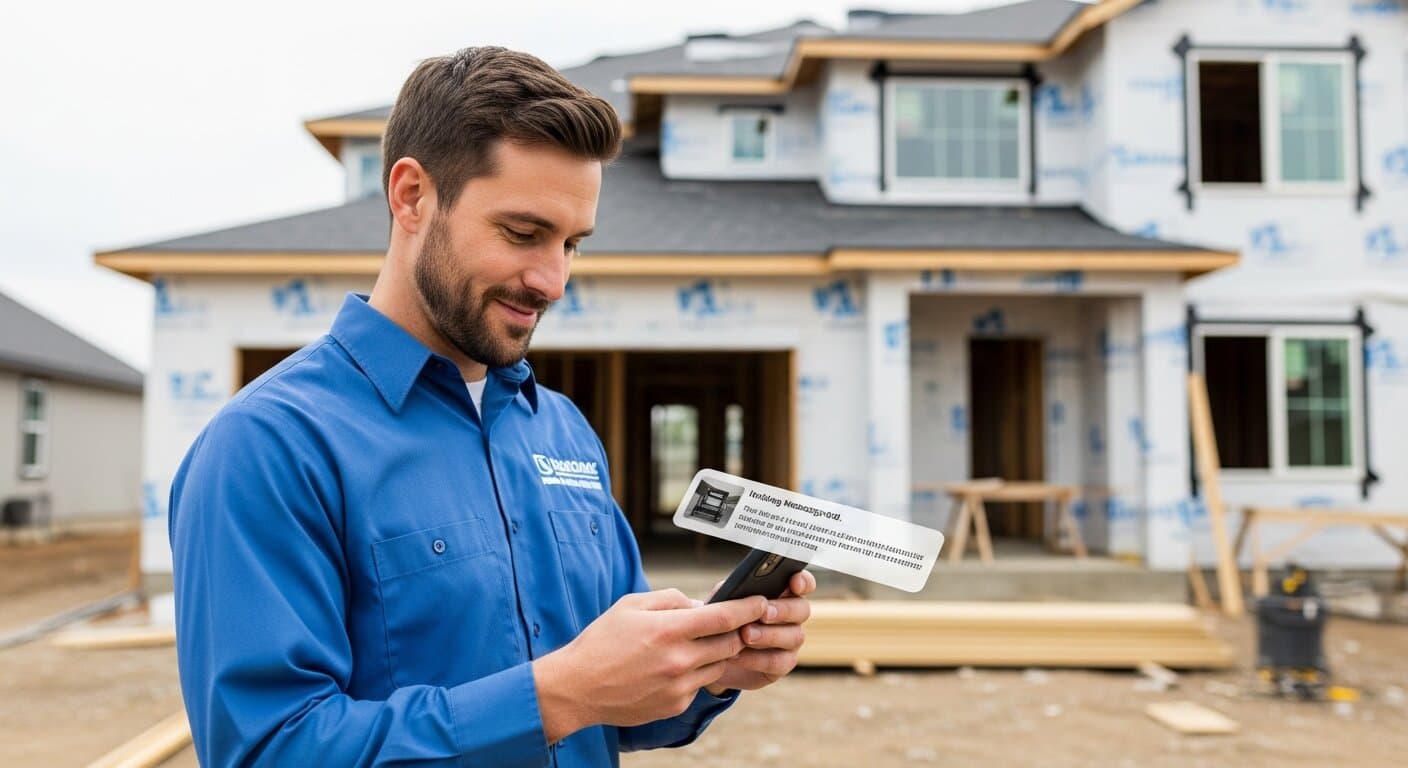
If you're a contractor and you're not using text messaging in your business, you're losing jobs to competitors who are.
Here's the reality: the average text message is opened within 3 minutes of receipt. Email? Most marketing emails are never opened at all — average open rates hover around 20%, and that's on a good day. For time-sensitive businesses like contracting, where the first company to respond often wins the job, SMS is one of the highest-leverage tools available.
This guide covers everything you need to know about contractor SMS marketing — from the legal requirements to the exact text sequences that generate more booked jobs, better reviews, and customers who come back year after year.
Why SMS Works So Well for Contractors
The construction and home services industry runs on responsiveness. Homeowners get multiple quotes, and the contractor who communicates fastest and most clearly usually wins — regardless of whether they have the lowest price. SMS is the fastest, highest-attention communication channel available.
The numbers that matter:
| Channel | Open Rate | Average Response Time | Conversion Rate |
|---|---|---|---|
| Text (SMS) | 98% | Under 3 minutes | 45%+ |
| 20-25% | Hours to days | 3-6% | |
| Voicemail | 18% | Hours | 2-4% |
| Direct mail | N/A | Days to weeks | 1-3% |
Beyond open rates, SMS has unique advantages for contractors:
It meets customers where they are. Most homeowners getting quotes are also running their own lives — work, kids, errands. They won't stop to read a long email, but they will glance at a text notification. A two-sentence text gets read; a three-paragraph email gets archived.
It creates a conversational feel. When a contractor texts a customer, it feels personal and direct — more like a friend reaching out than a company running an email campaign. This warmth translates to higher response rates and better relationships.
It integrates with your existing workflow. Modern contractor CRM platforms have built-in SMS automation, so your text sequences trigger automatically when leads come in, appointments are scheduled, or jobs are completed — without you lifting a finger.
The Legal Requirements (Don't Skip This)
Before sending a single marketing text, you need to understand the rules. The Telephone Consumer Protection Act (TCPA) governs text marketing in the US, and violations can be expensive — up to $1,500 per text sent without consent.
What you can do without explicit opt-in:
- Reply to someone who texted you first (they've consented by initiating contact)
- Send transactional messages to customers who gave you their number during a job (appointment reminders, on-my-way notifications, job status updates)
What requires explicit written consent:
- Sending promotional or marketing texts to anyone who hasn't explicitly opted in
- Adding contacts to a broadcast list
How to collect consent legally:
- Add a checkbox to your web lead form: "I agree to receive text messages from [Company Name]. Reply STOP to opt out."
- Include consent language in your estimate agreement
- Use a keyword opt-in: "Text QUOTE to [number] for a free estimate" — they texted first, so they've consented
Always include opt-out instructions. Every marketing text should end with "Reply STOP to unsubscribe" or similar language. Reputable SMS platforms handle this automatically.
This sounds more complicated than it is in practice. If you're using a platform like GoHighLevel or Podium with proper consent collection on your lead forms, you're covered for the vast majority of normal contractor business operations.
The 5 SMS Workflows Every Contractor Needs
Workflow 1: Instant Lead Response
This is the single highest-ROI use of SMS for contractors, and most companies don't do it at all.
When a potential customer fills out your contact form or requests a quote online, they often submit the same request to 2-3 other contractors at the same time. The first contractor to respond — not with a voicemail, but with an actual conversation — wins a massive advantage.
Automated lead response sequence:
- Immediately (within 60 seconds): Auto-text goes out: "Hi [Name]! Got your request — this is [Your Name] from [Company]. We'd love to help with your [service type]. What's a good time for a quick call, or I can text you more info? — [Your Name]"
- If no response in 4 hours: "Hi [Name], just following up on your request. Happy to answer any questions by text if that's easier. What's your project timeline looking like? — [Company]"
- If no response the next day: One final text or a call attempt, then mark the lead for email follow-up
In our experience working with contractors who implement automated lead response texts, their lead-to-appointment conversion rate improves by 30-50% in the first month — not because the texts are magic, but because they finally respond fast enough to be in the conversation.
Workflow 2: Appointment Confirmation and Reminders
No-shows are expensive — a missed appointment means wasted drive time, a scheduling hole, and a lead you may never convert. SMS reminders dramatically reduce no-show rates.
Appointment reminder sequence:
- 24 hours before appointment: "Hi [Name], confirming your estimate appointment tomorrow at [time] with [Technician Name] from [Company]. Reply C to confirm or call us at [number] to reschedule. See you then!"
- 2 hours before appointment: "On our way! [Technician Name] from [Company] is heading to your address and will arrive around [time]. See you soon!"
- On arrival: "[Technician Name] from [Company] is here for your estimate. We're outside!"
These texts serve a second purpose: they signal professionalism. A contractor who sends timely, clear communication before the appointment arrives showing they're organized — and that impression sets up a better customer experience overall.
Workflow 3: Quote Follow-Up
You send a quote. Silence. Days pass. Did they pick someone else? Are they still deciding? This is where most contractors either give up or make one awkward phone call and stop.
SMS quote follow-up sequence:
- Day 1 (same day as quote): "Hi [Name], just sent over your estimate to [email]. Let me know if you have any questions — happy to break down any line items or discuss options. — [Your Name], [Company]"
- Day 3 (if no response): "Hey [Name], wanted to check in on the estimate. I know you're probably comparing a few options — I'm happy to answer any questions or adjust the scope if needed. What are you thinking? — [Your Name]"
- Day 7 (if still no response): "Hi [Name], last follow-up on the estimate I sent last week. Our schedule fills up fast in the summer — wanted to give you first pick of our openings. Reply or call if you'd like to move forward. — [Company]"
Notice these texts invite a conversation rather than just asking "did you decide yet?" — an open-ended text gets more responses than a yes/no pressure text.
Workflow 4: Review Request After Job Completion
Google reviews are one of the most powerful lead generation tools for contractors, and SMS is the fastest way to collect them. A text sent 24-48 hours after job completion — when the customer is happy and the experience is fresh — generates a review 20-30% of the time.
Post-job review request:
- 24 hours after job completion: "Hi [Name]! Hope everything looks great with your [service type]. If you have 60 seconds, we'd really appreciate a quick Google review — it helps other homeowners find us: [direct Google review link]. Thank you! — [Your Name], [Company]"
- If no review in 3 days: One follow-up text: "Hi [Name], just wanted to say thanks again for choosing [Company]. If you have a moment, that Google review would mean a lot to our team: [link]"
Never ask for a review before the job is complete and the customer is satisfied. And never incentivize reviews with discounts or cash — Google's terms prohibit it and it can get your profile suspended.
Workflow 5: Seasonal Win-Back Campaigns
Your past customers are your warmest audience. They've already hired you, they trust your work, and they need home services again every year. A simple seasonal text can reactivate customers who might otherwise hire someone else out of convenience.
Spring win-back text (sent March-April): "Hi [Name]! Spring is peak season for [service type]. We're booking fast — wanted to give past customers first priority on scheduling. Reply for a quick estimate or to book your spot. — [Company]"
End-of-season offer: "Hi [Name], summer's winding down and we're offering 10% off [service] bookings through August 31st for returning customers. Interested? Reply and we'll get you scheduled. — [Company]"
These win-back campaigns work because they're personal (not a blast from some brand), timely (seasonal relevance), and offer value. Our data shows past-customer texts convert at 2-3x the rate of cold leads.
Choosing the Right SMS Platform
You don't need a standalone SMS tool if you're using a modern contractor CRM — most good CRMs have SMS built in. Here's a comparison of the most common options:
| Platform | Best For | Price Range | Key Feature |
|---|---|---|---|
| GoHighLevel | Full automation (CRM + SMS + email + funnels) | $97-$297/mo | All-in-one automation |
| Podium | Review collection + two-way messaging | $249-$449/mo | Best review request tool |
| SimpleTexting | Standalone broadcast SMS | $29-$299/mo | Simple, reliable delivery |
| EZTexting | Keyword opt-ins + campaigns | $25-$149/mo | Easy setup for small teams |
| Housecall Pro | Field service + SMS built-in | $49-$199/mo | Works well for scheduling |
For most contractors who are just starting with SMS, the best approach is to use whatever CRM platform you already have and add SMS through it — don't add another tool if your current system has the capability.
Writing SMS Messages That Get Responses
Text message copywriting is its own skill. Here's what works for contractors:
Do:
- Keep it under 160 characters when possible (one SMS segment)
- Sign every text with your name AND company name — not everyone saves your number
- Ask a question or offer a clear next step — something that invites a reply
- Sound like a human, not a corporate robot
- Include a direct link when you want action (review, booking, estimate)
Don't:
- Start with "SPECIAL OFFER" or "CLICK HERE" — it reads as spam
- Send at odd hours — 8am-8pm in the customer's time zone is the safe range
- Send more than one follow-up text without a response — two follow-ups is usually the max before you switch to a different channel
- Use ALL CAPS — it reads as shouting
- Include multiple calls to action — one text, one goal
Example of a bad contractor text: "HELLO [CUSTOMER NAME] PLEASE CALL US ABOUT YOUR ESTIMATE WE SENT TODAY. WE HAVE GREAT REVIEWS AND LOW PRICES. CALL NOW AT [PHONE]"
Example of an effective contractor text: "Hi Sarah, this is Mike from ProRoofing — following up on the estimate I emailed this afternoon. Do you have any questions I can answer? Happy to talk through anything. — Mike"
Integrating SMS With Your Broader Marketing
SMS works best as part of a coordinated communication system, not as a standalone channel. Here's how it connects to your contractor lead generation strategy:
The full lead-to-repeat-customer journey:
- Lead comes in (Google, referral, ad) → Automated SMS response fires within 60 seconds
- Lead responds → Conversation continues via SMS, appointment is set
- Appointment is set → SMS reminder sequence starts (24hr, 2hr, arrival)
- Quote is sent → SMS follow-up sequence starts (Day 1, Day 3, Day 7)
- Job is booked → SMS confirmation with scope and start date
- Job is complete → SMS thank-you + review request (24 hours later)
- 3 months later → Check-in SMS (any additional needs?)
- Next season → Win-back SMS campaign
This full sequence can be automated in GoHighLevel or a similar platform. Once it's set up, it runs without you — every lead gets followed up, every customer gets thanked and asked for a review, and past customers get seasonal reminders, all without you manually doing anything.
Common SMS Marketing Mistakes Contractors Make
Mistake 1: Texting from a personal cell phone number. This creates compliance risks, makes it impossible to automate, and looks unprofessional. Use a business number through your SMS platform.
Mistake 2: Sending the same message to everyone. Segment your audience — new leads need different messages than past customers. A one-size-fits-all approach gets more opt-outs.
Mistake 3: Not tracking results. Most SMS platforms show delivery rates, open rates (estimated), and click rates on links. If your review request texts aren't generating reviews, test a different message. If your quote follow-ups aren't getting responses, try a different timing.
Mistake 4: Waiting too long to implement. Many contractors say "I'll set this up when things slow down." But things slow down partly because the lead follow-up process is broken. SMS automation pays for itself in the first month if it converts even one or two additional jobs.
Mistake 5: No opt-out process. Every platform must handle STOP replies by automatically removing that contact from future messages. Don't build your own — use a platform that handles this automatically.
Getting Started with Contractor SMS Marketing
If you're starting from zero, here's the 30-day implementation plan:
Week 1: Choose a platform (GoHighLevel if you want full automation; Podium if you primarily want review requests). Set up your account and get a business phone number.
Week 2: Add SMS consent language to your web lead forms and estimate agreements. Set up your automated instant lead response text.
Week 3: Build your appointment reminder sequence. Test it by having a team member fill out your own lead form.
Week 4: Set up your post-job review request automation. Train your team on how to manually send follow-up texts for quotes.
After 30 days, check your review count and your lead response times. Most contractors who implement SMS properly see measurable improvement in both within the first month.
SMS marketing gives contractors an edge that most competitors aren't using. The combination of fast lead response, automated appointment reminders, and systematic review requests covers three of the biggest revenue leaks in most contractor businesses — and it can all run on autopilot once it's set up.
Ready to put your lead follow-up on autopilot? Get a free audit from RankWeld and we'll show you exactly which tools and automations will have the biggest impact on your business.
For more on building a complete customer communication system, see our guides on contractor email marketing and contractor customer retention.
Recommended Service
Ready to Grow Your Contracting Business?
From SEO to Google Ads to review management — we handle the marketing so you can focus on the work. Monthly plans from $600/mo.
Get Your Free SEO AuditRelated Articles
Email Marketing for Contractors: How to Stay Top of Mind
Email marketing is one of the most underused tools in a contractor's arsenal. Learn how to build a list, what to send, and how automated emails can drive repeat business and referrals without lifting a finger.
Read more
Customer Retention for Contractors: How to Get Repeat Business
Acquiring a new customer costs 5-7x more than retaining an existing one. Here's how smart contractors build customer retention systems that generate repeat business, referrals, and predictable revenue.
Read more
How to Build a Referral Program for Your Contracting Business
Referral leads close faster, spend more, and stay loyal longer than any other lead source. Here's how to build a referral program that turns every satisfied customer into a growth engine for your business.
Read moreReady to Put This Into Action?
Get a free SEO audit and see exactly where your contracting business stands.