How to Get More Google Reviews as a Contractor
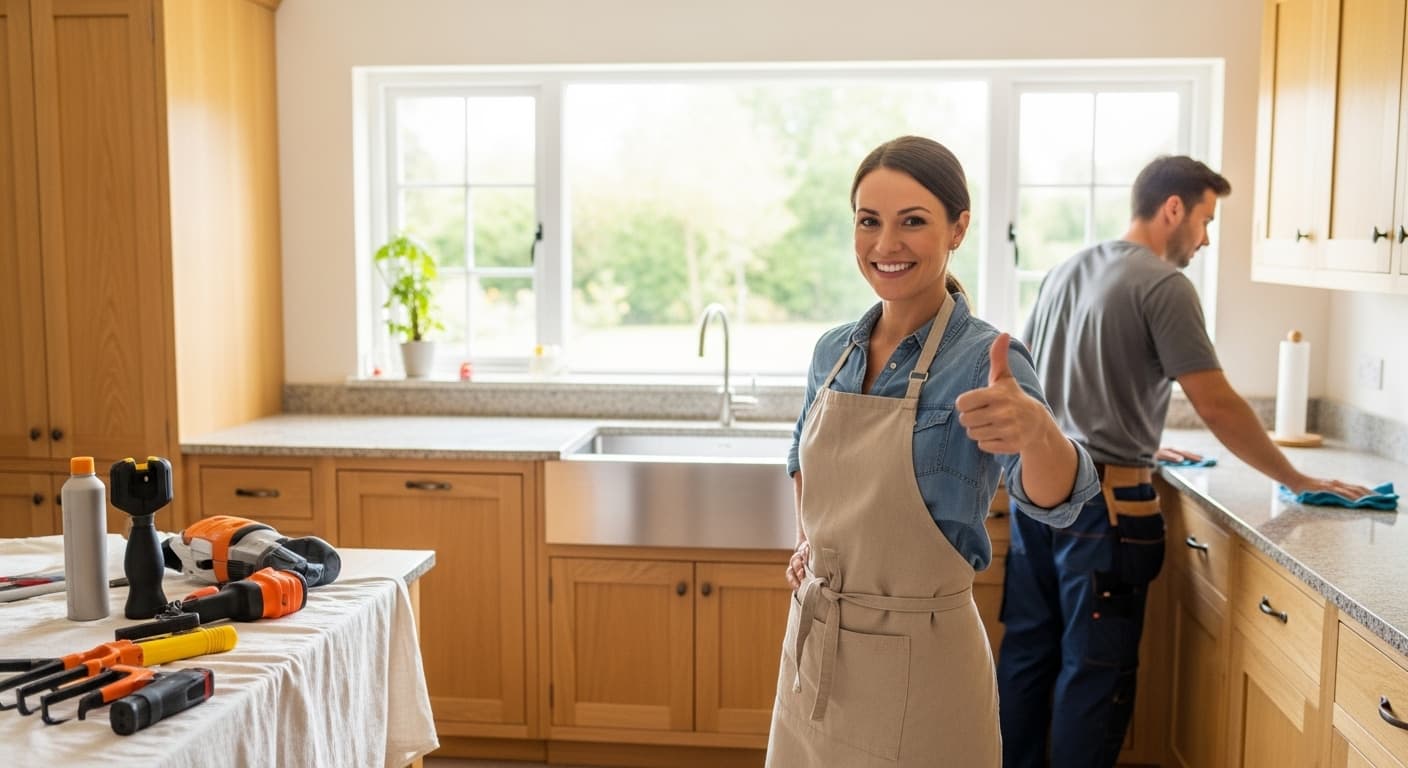
A homeowner needs a contractor. She searches Google and sees three businesses in the Map Pack: one with 14 reviews at 4.2 stars, one with 47 at 4.6, one with 203 at 4.8.
She calls the one with 203 reviews. Almost every time.
Reviews are the strongest trust signal a contractor has. They move your Map Pack ranking, and they move the human being deciding whether to dial. Yet most contractors leave them to chance: finish the job, hope the customer thinks of it, collect three reviews a year.
The companies that own their market run a system. We build these for our clients — an automatic request after every completed job, timed for when the customer is happiest — and this guide shows you how to build the same thing yourself.
Why Google Reviews Matter More Than Any Other Platform
You might be thinking: "What about Yelp reviews? Or Angi? Or Facebook?" Here is why Google reviews take priority:
- Google reviews directly impact your Map Pack ranking. Reviews are the third most important ranking factor for local search. Yelp, Facebook, and other platforms do not affect your Google ranking.
- Google is where customers search. 92% of consumers use Google to find local businesses. Your Google reviews are the first ones they see.
- Google reviews build your star rating. The gold stars that appear next to your business name in search results come from Google reviews. They are the most visible trust signal in all of local search.
- Google reviews include keywords. When a customer mentions "roof repair" or "Seattle" in their review, it helps you rank for those terms.
This does not mean you should ignore other platforms. But Google should be your primary focus. Get 80% of your review efforts directed toward Google, and 20% toward Yelp and Facebook.
The Review Request System: Step by Step
Building a review system means defining who asks, when they ask, how they ask, and what happens next. Here is the complete framework.
Step 1: Create Your Google Review Link
Before you can ask for reviews, you need a direct link that takes customers straight to your Google review form — no searching, no clicking through your business profile.
How to get your review link:
- Search for your business on Google
- Click on your business listing
- Click "Write a review"
- Copy the URL from your browser address bar
Or use the shorter method:
- Go to your Google Business Profile Manager
- Click "Home"
- Find the "Get more reviews" card
- Click "Share review form" to get the direct link
Save this link. You will use it in every review request you send.
Step 2: Decide When to Ask
Timing is critical. Ask too early and the customer has not experienced your work yet. Ask too late and the emotional impact of a great experience has faded.
The optimal timing:
- For same-day jobs (repairs, cleanups, inspections): Send the review request within 2 hours of completing the job. The customer is still feeling the relief and satisfaction of the completed work.
- For multi-day projects (remodels, installations, replacements): Send the request 24 hours after the final walkthrough. Give them a day to enjoy the results.
- For emergency work (burst pipes, storm damage, no heat): Send the request 1-2 hours after completion. Gratitude is at its peak right after an emergency is resolved.
The golden window is 2-24 hours after job completion. After 48 hours, your conversion rate drops significantly.
Step 3: Choose Your Delivery Method
The way you ask matters as much as when you ask. Here are the options ranked by effectiveness:
Text Message (SMS) — Most Effective
Response rate: 30-40%
Text messages have a 98% open rate compared to 20% for email. For review requests, SMS is the clear winner.
Template:
"Hi [First Name], this is [Your Name] from [Company]. Thanks for choosing us for your [service]! If you were happy with our work, would you mind leaving us a quick Google review? It really helps our small business. Here is the link: [your-review-link]. Thank you!"
Email — Good for Follow-Up
Response rate: 10-15%
Use email as a follow-up to your text message, or as the primary method if you do not have the customer's phone number.
Template:
Subject: Quick favor? Leave us a review
"Hi [First Name],
Thank you for trusting [Company] with your [service]. We hope everything turned out great!
If you have 60 seconds, we would be grateful if you could leave us a quick Google review. Your feedback helps other homeowners find reliable contractors in [city].
[BUTTON: Leave a Review]
Thanks again for your business.
Best, [Your Name] [Company]"
In-Person Ask — Most Personal
Response rate: 50-70% (when they actually follow through)
Asking in person at the end of a job is the most effective approach — but only if you also send a follow-up link. Most customers genuinely intend to leave a review when you ask face-to-face, but they forget once they go about their day.
Script:
"[Customer name], it was great working on your [project]. If you are happy with how everything turned out, it would mean a lot to our team if you could leave us a quick Google review. I am going to send you a text with a direct link — it only takes about 60 seconds. We really appreciate it."
Then immediately send the text.
Step 4: Follow Up (Once)
If the customer does not leave a review after your first request, send one follow-up 2-3 days later. Not two follow-ups. Not three. One.
Follow-up template:
"Hi [First Name], just a friendly reminder — if you have a minute, we'd love a quick Google review for the [service] we did at your place. Here is the link: [review-link]. No worries if you are busy — we appreciate your business either way!"
Never pester customers. One initial request and one follow-up is the sweet spot. More than that crosses the line into annoying.
Step 5: Respond to Every Review
Responding to reviews is not just good customer service — it is a ranking signal. Google has confirmed that businesses that respond to reviews are considered more trustworthy and may rank higher.
Responding to Positive Reviews
- Thank them by name
- Reference the specific work you did
- Keep it genuine and concise
Example: "Thank you, Sarah! We really enjoyed working on your kitchen remodel in Bellevue. The tile work turned out beautifully. We appreciate you taking the time to share your experience — it means a lot to our team."
Responding to Negative Reviews
Negative reviews are inevitable. How you respond matters more than the review itself. 45% of consumers say they are more likely to visit a business that responds to negative reviews.
Framework for responding to negative reviews:
- Thank them for the feedback
- Apologize for their experience (not necessarily admitting fault)
- Take responsibility where appropriate
- Offer to resolve the issue offline
- Never argue, never get defensive, never share private details
Example: "Thank you for your feedback, Mike. We are sorry to hear your experience did not meet our standards. We take every customer's satisfaction seriously. I would like to discuss this with you personally — please call me directly at [phone] or email [email] so we can make this right."
Automating Your Review System
Manual review requests work, but they rely on you or your team remembering to send them after every single job. In the real world, things get busy, and review requests slip through the cracks.
Automation ensures every customer gets a review request, every time, without fail.
Option 1: CRM-Based Automation
Most contractor CRMs include built-in review request features:
- Jobber — Automated review requests via email after invoice is paid
- Housecall Pro — Text and email review requests triggered by job completion
- ServiceTitan — Review requests with customizable timing and templates
Set it up once, and every completed job automatically triggers a review request.
Option 2: Dedicated Review Management Tools
If your CRM does not have review features, or you want more control, these tools specialize in review management:
- Podium — Two-way texting platform with review request automation ($289+/month)
- Birdeye — Review management with monitoring and response tools ($249+/month)
- NiceJob — Simple review automation built for contractors ($75+/month)
- Grade.us — Drip review campaigns with email and SMS ($40+/month per location)
Option 3: RankWeld Review Management
Our review management service handles everything — setup, automation, monitoring, and response — so you never have to think about it. Reviews just happen, consistently, after every job.
Advanced Review Strategies
Once your basic system is running, these advanced tactics can accelerate your review growth:
Create a "Review Us" Page on Your Website
Build a dedicated page at yoursite.com/review that:
- Thanks the customer for their business
- Explains why reviews matter to your business
- Provides a direct link to your Google review page
- Includes simple instructions for leaving a review
Print this URL on your business cards, invoices, and follow-up materials.
Include a Review CTA on Your Invoice
When you send a final invoice, include a line at the bottom: "Happy with our work? Leave us a Google review: [link]." You are catching the customer at the moment they are reviewing the final bill — a natural time to reflect on the experience.
Train Your Team
If you have technicians or crews, train them to ask for reviews at the end of every job. Give them a simple script and make it part of the job completion checklist:
- Walk the customer through the completed work
- Ask if they are satisfied
- Ask if they would mind leaving a Google review
- Confirm you will send a link via text
Some contractors tie review requests to a small team bonus — not for the review itself (that would violate Google's guidelines), but for consistently following the process.
Use QR Codes
Create a QR code that links directly to your Google review page. Print it on:
- Business cards
- Leave-behind door hangers
- Vehicle magnets
- Yard signs ("We just completed a project here! Scan to see our reviews")
What NOT to Do
These practices will get your reviews removed or your profile penalized:
- Never buy fake reviews. Google's AI detection catches them. The penalty can include profile suspension, which kills your Map Pack ranking entirely.
- Never offer incentives for reviews. No discounts, no gift cards, no entries into a drawing. This violates both Google's terms and FTC guidelines.
- Never review-gate. Do not send happy customers to Google and unhappy customers to a private feedback form. Google specifically prohibits this practice. Ask everyone for a review.
- Never create reviews from your own devices. Google tracks IP addresses, device IDs, and location. Reviews created from your office or personal devices will be flagged.
- Never ask for 5-star reviews. Ask for honest reviews. A mix of 4 and 5-star reviews with detailed text actually looks more authentic than a wall of 5-star reviews with no commentary.
How Many Reviews Do You Need?
The honest answer: more than your competitors. But here are some benchmarks:
| Stage | Review Count | Impact |
|---|---|---|
| Getting started | 10-25 | You look like a real business |
| Building credibility | 25-50 | You start appearing in the Map Pack |
| Competitive | 50-150 | You compete for top 3 positions |
| Dominant | 150-300+ | You own the Map Pack in your market |
The magic number varies by market. In a small town, 50 reviews might make you the clear leader. In a major metro, you might need 200+ to stand out. Check our detailed guide on how many Google reviews contractors need.
Your Review System Starts Today
You do not need fancy tools to start building your review profile. Here is what you can do today:
- Get your Google review link (5 minutes)
- Save a review request text template in your phone (2 minutes)
- Send a review request to your last 5 customers (10 minutes)
- Set a reminder to send a request after every job this week (1 minute)
That is 18 minutes of setup, and it can generate 5-10 new reviews this month. Next month, set up automation so you never have to think about it again.
Need help building a review system that runs on autopilot? Contact RankWeld about our review management service, or get a free SEO audit to see how your review profile compares to your competitors.
Recommended Service
Want More 5-Star Reviews on Autopilot?
Our automated review management system helps contractors collect, manage, and leverage reviews to win more jobs.
Explore Review ManagementRelated Articles
Google Business Profile for Contractors: Complete Setup & Optimization Guide
Your Google Business Profile is the most important ranking factor for local contractor SEO. This step-by-step guide shows you exactly how to set up, optimize, and maintain your profile to dominate the Map Pack.
Read more
How Many Google Reviews Do Contractors Actually Need?
Reviews are the #1 trust factor for hiring contractors. Here's exactly how many you need, why they matter for SEO, and how to get them on autopilot.
Read more
Local SEO for Contractors: How to Dominate the Google Map Pack
The Google Map Pack is where most contractor leads come from. This guide breaks down the exact local SEO strategies you need to rank in the top 3 — from citations and reviews to on-page optimization and content.
Read moreReady to Put This Into Action?
Get a free SEO audit and see exactly where your contracting business stands.